

Photo Artista is a painting tool that takes no time to master in order to create your own original work of art. Our efficient method in a simple interface requires a few easy steps: Start with a photo, choose a paint style, and then apply … let the application do the work.
Artista Oil - Info Page iPhone

Buttons
Top Bar Buttons

- Original Image - Hold down to view the original image for a quick comparison
- Resize - Click to zoom in on the image or to fill the window with the image
- Undo - Undo the last edit
- Randomize - Randomizes the effect on the image.
Bottom Bar Buttons

- Get Photo - Load a photo from your Camera Roll
- Crop - Cut out an area of your image hiding the rest
- Info - Brings you to this page
- Save - Save your image
- Share - Save a preset, email your image, send the image to another app and upload to Facebook, Twitter and Instagram
Adjustments
The adjustment tabs change depending on which preset style is chosen. Artista includes two Artista Oil Styles: Oil and Impressionism, two Artista Haiku Styles: Abstract and Stylized and an Artista Sketch style.
Oil Preset Style
Brush

- Brush Size - Move slider left for small brush details or right for larger thicker strokes.
- Bristle Depth - Controls the amount of bristle pattern seen in the painting.
- Brush Style - These are bristle patterns seen in the painting. Control the amount seen using the bristle depth slider.
Tone

- Tone - Create mood or add depth with tone. Select a tone color with the colorbox.
- Color Enhance - Add brightness and luminosity to your painting by moving the slider left.
- Paint Color Shift - Change the color of the oil painting.
Edge

- Edge Zoom - Change the size of the edge making it bigger
- Edge Thumbnail - Add a painted edge.
- Stroke Variation - Change where the brush strokes are applied to your painting.
Canvas

- Canvas Texture - Add or decrease the texture around the outsied of the edge. Use the color box to change the canvas color.
- Canvas -Move slider right to control how much canvas is seen through the paint.
Impressionism Preset Style
Brush

- Brush Size - Move slider left for small brush details or right for larger thicker strokes.
- Bristle Depth - Controls the amount of bristle pattern seen in the painting.
Tone

- Tone - Create mood or add depth with tone. Select a tone color with the colorbox.
- Color Enhance - Add brightness and luminosity to your painting by moving the slider left.
- Paint Color Shift - Change the color of the oil painting.
Edge

Canvas

- Canvas Color - Add or decrease the texture around the outsied of the edge. Use the color box to change the canvas color.
Abstract Preset Style
Style

- Color Style - Choose where the watercolor appears on the image. If Full is selected Wet Edges and Paint Area Sliders will turn grey and not work.
- Strength - Change the opacity of the watercolor effect.
- Wet Edges - Change the size of the outline around the watercolor effect creating a 'wet' look. (Not available when Full is selected.)
- Color Vibrancy - Enrich watercolor pigment making it more vibrant.
Paint

- Paint fill - Change how much of the image is covered in watercolor. (Not available when Full is selected.)
- Paint Variation - Change how the paint looks in the selected area.
Detail

- Ink Outline - Use this to increase detail in the outlined areas.
- Ink Outline Detail - Moving the slider left renders a loose outline and moving it right renders a sharper one.
- Ink Fill - Increases ink amount in darker areas of the image.
- Ink Color - Change the ink color for Ink Outline, Ink Outline Detail and Ink Fill. Move the slider right to increase ink strength.
Paper & Border

- Paper Thumbnails - Select a paper
- Border Thumbnails - Choose a border. Borders blend with ink outlines and changes when adjustments are made to ink sliders.
Stylized Preset Style
Style

- Color Style - Choose where the watercolor appears on the image. If Full is selected Wet Edges and Paint Area Sliders will turn grey and not work.
- Strength - Change the opacity of the watercolor effect.
- Wet Edges - Change the size of the outline around the watercolor effect creating a 'wet' look. (Not available when Full is selected.)
Paint

- Paint fill - Change how much of the image is covered in watercolor. (Not available when Full is selected.)
- Paint Variation - Change how the paint looks in the selected area.
- Paint Color Shift - Change the color of the watercolor (Only available when using Stylized, Abstract uses the actual colors of the image.)
Detail

- Ink Outline - Use this to increase detail in the outlined areas.
- Ink Outline Detail - Moving the slider left renders a loose outline and moving it right renders a sharper one.
- Ink Fill - Increases ink amount in darker areas of the image.
- Ink Color - Change the ink color for Ink Outline, Ink Outline Detail and Ink Fill. Move the slider right to increase ink strength.
Paper & Border

- Paper Thumbnails - Select a paper
- Border Thumbnails - Choose a border. Borders blend with ink outlines and changes when adjustments are made to ink sliders.
Sketch Preset Style
Outline

- Sketch Style -
- Pencil Outline - Use this to outline more edges in the photo.
- Accuracy - Move right to pencil in detail in the image.
- Strength - Move right to darken outline. Move left for a light and delicate one.
- Pencil Color - Change the color of the pencil outline and shadow strength. Move right to increase shadow strength color.
Paper

- Paper Tint - Click the color box to change the paper tint. Use the slider to adjust its opacity.
- Paper Thumbnails - Select a sketch paper
Stroke

Saving
Click the Save Button to save your image or click the Share Button to open a variety of different ways to share your image.
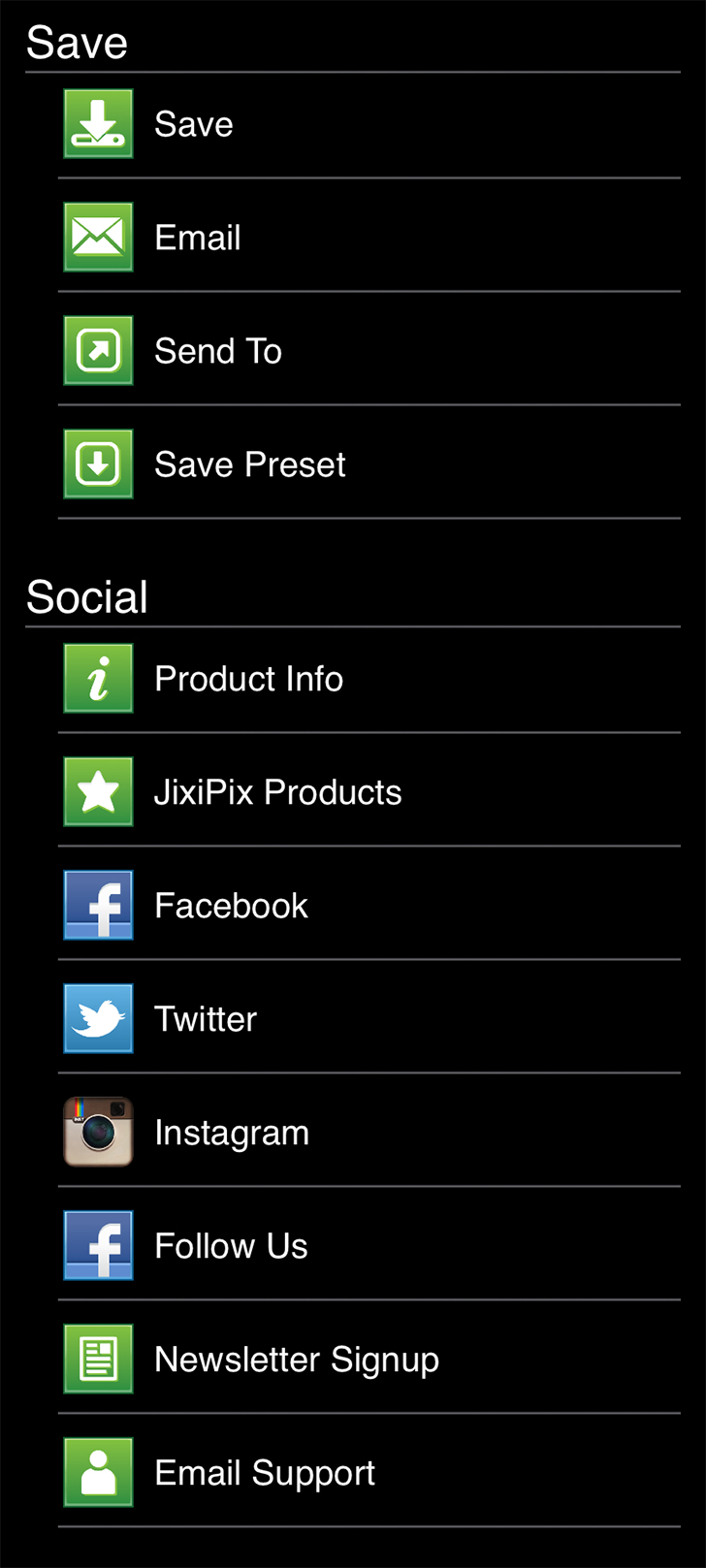
- Save - Saves the image to your camera roll.
- Email - Opens up your email so you can share your photo with friends and family.
- Send To - Send your edited image to another App for further editing
- Save Preset - Save your adjustments as a preset to use later.
- Product Info - Brings you to this page.
- Jixipix Products - Takes you to the Itunes App Store where you can view all our Apps.
- Facebook - Opens Facebook's login screen, once logged in you can share your image on facebook.
- Twitter - Opens Twitter's login screen, once logged in you can share your image on Twitter.
- Instagram - Opens Instagram where you can upload your image. (Requires Instagram and being logged into your Instagram account.)
- Follow Us on Facebook - Opens up our Facebook page where you can like us to get info on our latest apps and updates.
- Newsletter Signup - Enter your email to be the first to here about our upcoming apps and updates.
- Email Support - Send us a support email using one of your email apps
Presets
Saving Presets
Once you have applied a preset and modified it using the adjust tabs, you can save your own custom preset by using the "Share" button on the main screen and choosing "Save Preset" off the menu.
Favoriting and Deleting Presets
Favorite a preset to move it to the front of the presets list for quick access. To favorite or delete a preset press down on a preset thumbnail and hold until an X and heart appears, tap the heart to favorite it or tap the X to delete it.
