PRODUCT INFO PAGES
Aquarella
Desktop Info | iPhone Info | iPad Info
Artista Haiku
Mac Info | iPhone Info | iPad Info
Artista Oil
Mac Info | iPhone Info | iPad Info
Artista Sketch
Mac Info | iPhone Info | iPad Info
Dramatic Black & White
Mac Info | iPhone Info | iPad Info
Grungetastic
Mac Info | iPhone Info | iPad Info
Hand Tint
Kyoobik Photo
Mac Info | iPhone Info | iPad Info
Moku Hanga - Wood Cut
Mac Info iPhone Info | iPad Info
NIR Color
Mac Info | iPhone Info | iPad Info
Pop Dot Comics
Mac Info | iPhone Info | iPad Info
Portrait Painter
Mac Info | iPhone Info | iPad Info
Rainy Daze
Mac Info | iPhone Info | iPad Info
Romantic Photo
Mac Info | iPhone Info | iPad Info
Simply HDR
Desktop Info | iPhone Info | iPad Info
Snow Daze
Mac Info | iPhone Info | iPad Info
Vintage Scene
Mac Info | iPhone Info | iPad Info
Vintage Scene Video
Artista Haiku - Mac Info
|
Top Bar Buttons Get Photo: Loads a photo from your desktop or hard drive. Save Preset: Once you've created an effect you can use this option to save all the attributes and reuse them on another picture. Random Button: Randomizes the effect on the image. Original Button: Hold down to view the original image for a quick comparison. File MenuGet Photo: Loads a photo from your desktop or hard drive. Save Photo: Saves the image to your desktop or hard drive. Save Preset: Once you've created an effect you can use this option to save all the attributes and reuse them on another picture. Edit MenuUndo: Undo your last edit. Redo: Redo your last edit that was undone. |
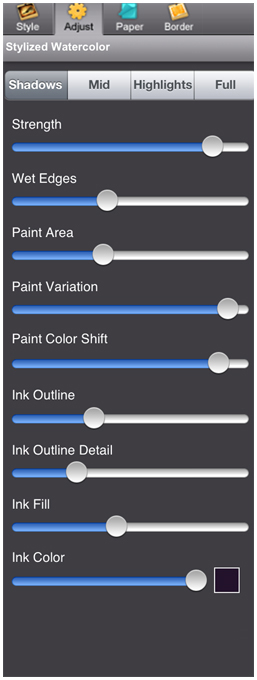
Shadows/ Mid-Tones/ Highlights/ Full TabsChoose where the watercolor will appear on the image. If Full is selected Wet Edges and Paint Area Sliders will not be available. StrengthChange the opacity of the watercolor effect. Wet EdgesChange the size of the outline around the watercolor effect creating a 'wet' look. (Not available when Full is selected.) Paint AreaChange how much of the image is covered in watercolor. (Not available when Full is selected.) Paint VariationChange how the paint looks in the selected area. Paint Color ShiftChanges the color of the watercolor. (Only available if a StylizedWatercolor style preset is selected becasue AbstractWatercolor uses the actual colors of the original image.) Ink OutlineOutline more edges in the photo. Ink Outline DetailMoving the slider left renders a loose outline and moving it right renders a sharper one. Ink FillFills more of the darker areas of the image with ink when moved right. Ink ColorBrings up a color picker that changes pencil color, outline, shade and shadow areas together. Moving the slider to the right will increase shade areas. SaturationMove this slider right to add more of the original color back into the scene.
Overlay
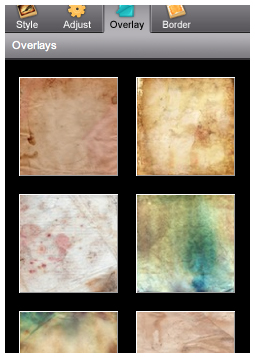
Paper ThumbnailsChoose a paper style for your image
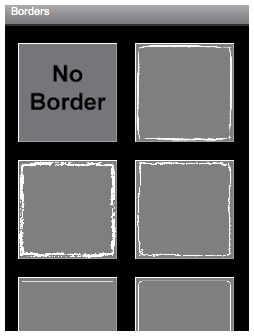
Border
Border ThumbnailsSelect a border to be displayed around your image |
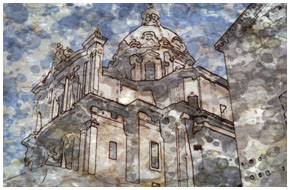
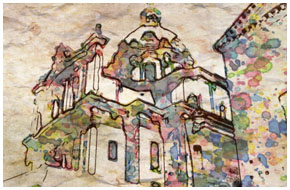
ABSTRACT WATERCOLOR Using colors pulled directly from your photo, Artista Haiku intuitively blends watercolor shapes, india ink and artistically aged or stained paper for an exciting, refined result that's destined to be a focal point in any photo gallery.
|